API Keys
Dedaub has two products with an API. Each product has its own key:
- Tok{In} (token safety) at tokin.dedaub.com. Its API is at
https://tokin-api.dedaub.com. - The Dedaub app at app.dedaub.com. Its API is at
https://api.dedaub.com.
Find the task in the table below. Then get the key from the place that the table shows.
Which key do I need?
| You want to | You need | Get it at | Send it as |
|---|---|---|---|
| Check tokens with the Tok{In} API | A Tok{In} key | tokin.dedaub.com: sign in, then API Keys | X-API-Key header |
| Try Tok{In} from an AI agent, with no person to sign in | A Tok{In} trial key | POST https://tokin-api.dedaub.com/agent-keys (details) | X-API-Key header |
| Decompile bytecode with the Decompiler API | A Dedaub key (personal or organization) | app.dedaub.com: Profile > API Keys, or your organization page | X-API-Key header |
Call the projects and protocols API at api.dedaub.com (most protocol routes need a Watchdog plan) | A Dedaub key (personal or organization) | The same as for the Decompiler API | X-API-Key header |
| Use the monitoring CLI | No key | Run dedaub-monitoring login and sign in in the browser | Not necessary |
| Make sure that a webhook comes from Dedaub | A webhook secret, which Dedaub sends to you | You choose it when you add the webhook | Dedaub sends it in the x-webhook-secret header |
A Tok{In} key does not work on api.dedaub.com, and a Dedaub key does not work on tokin-api.dedaub.com. If an API refuses your key, first make sure that you use the key of the correct product.
The Tok{In} key
You get a Tok{In} key on tokin.dedaub.com, not on app.dedaub.com.
- Go to tokin.dedaub.com/login and sign in with Google or GitHub.
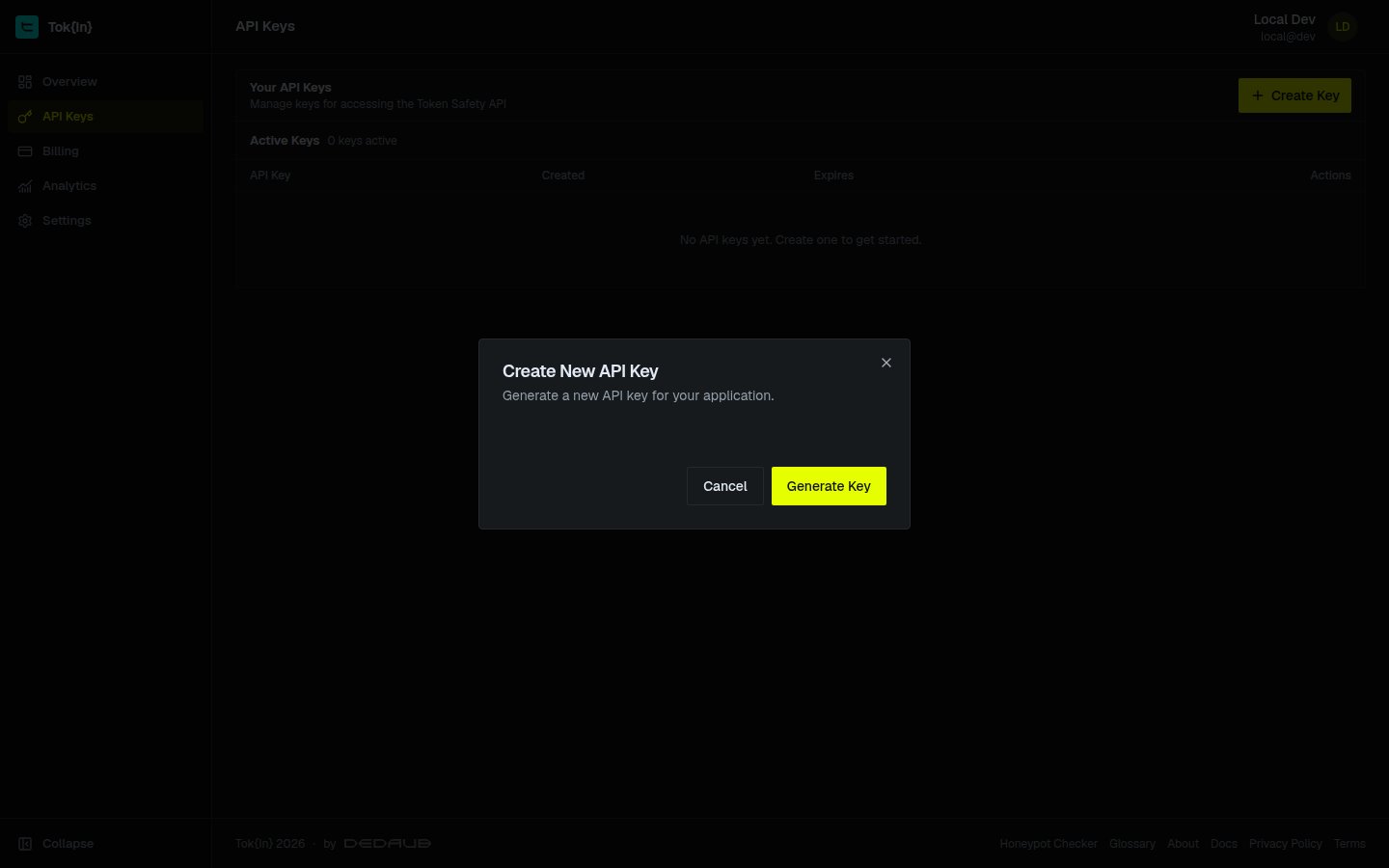
- In the dashboard menu, click API Keys.
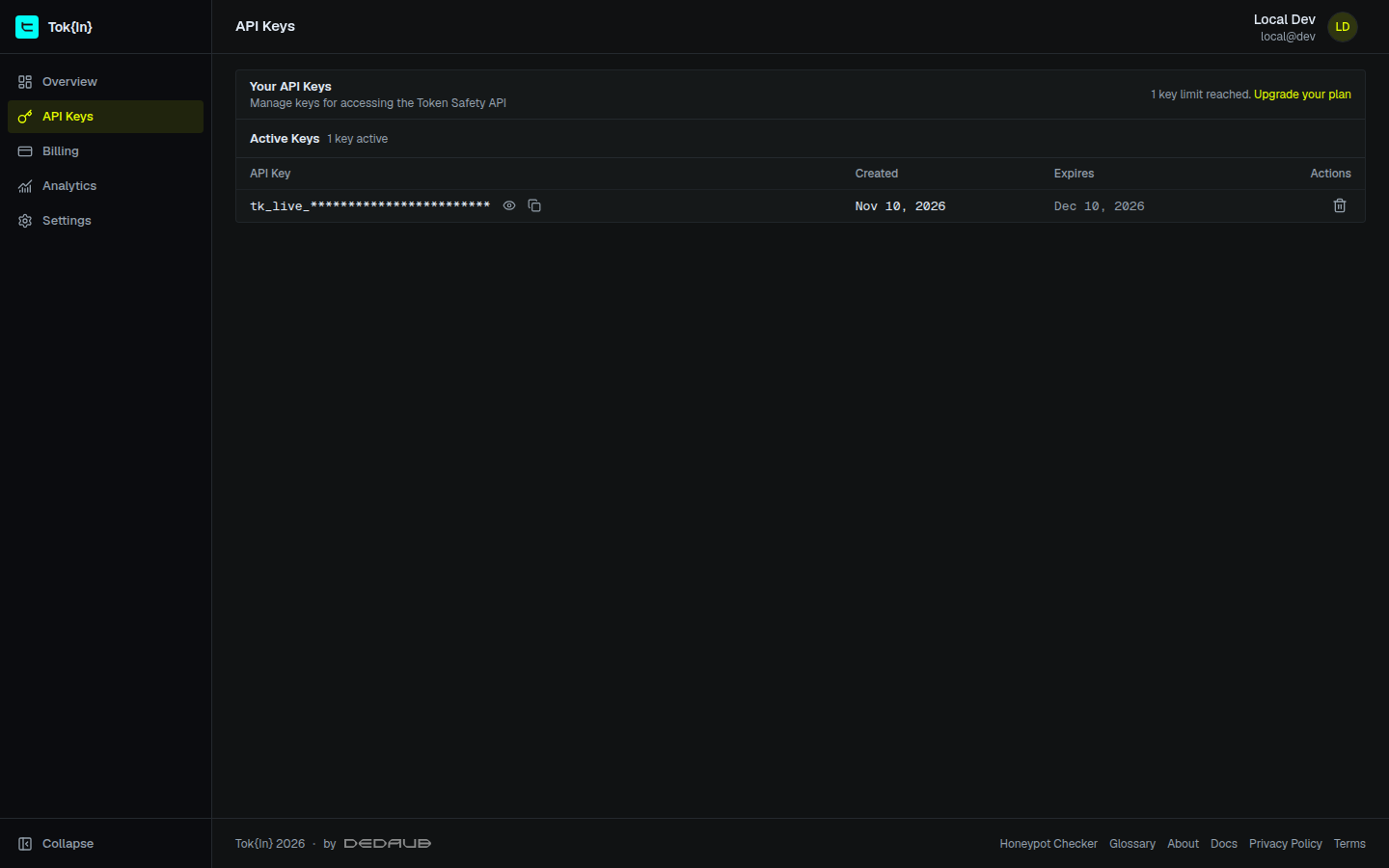
- Click Create Key, then click Generate Key in the Create New API Key dialog.
- Copy the key from the Active Keys table: click the copy icon next to the key.
Send the key in the X-API-Key header of each request:
curl 'https://tokin-api.dedaub.com/token/ethereum/0xc02aaa39b223fe8d0a0e5c4f27ead9083c756cc2' \
  -H 'accept: application/json' \
  -H 'X-API-Key: YOUR-TOKIN-KEY'
Things to know:
- Number of keys. Your plan sets the maximum number of keys. When you have the maximum, delete a key before you create a new one. On a company plan, the keys of all the users of your company domain count together.
- Expiry. On some plans, such as the free plan, a key expires. Then the Create New API Key dialog shows the period, and the Expires column shows the date. Create the new key before the old key expires. Each response to a key with an expiry date has the header
X-API-Key-Expires-At. - Limits. Your plan sets the number of calls for each minute, day and month. The Billing page of the dashboard shows them, with the calls that you used. When you are above a limit, the API answers
429. See Rate limiting.
A trial key for an AI agent
An AI agent cannot sign in, because sign-in needs a person. The agent can get a small trial key without sign-in:
curl -X POST 'https://tokin-api.dedaub.com/agent-keys' \
-H 'Content-Type: application/json' \
The trial key has a small number of calls and an expiry date. The API gives one trial key for each client network. For the limits and the errors, see For AI Agents.
The Dedaub key
A Dedaub key signs your requests to https://api.dedaub.com. Use it for the Decompiler API and for the projects and protocols API.
There are two types of Dedaub key. Both work in the same way:
| Personal key | Organization key | |
|---|---|---|
| Who can create it | Each user | Each member of the organization |
| Number of keys | One for each user | One for each member, in each organization |
| Who pays for the calls | Your account | The organization |
| Where to create it | Profile > API Keys | The organization page > API Keys |
The app shows a new key one time only. Copy it at once and keep it in a safe place. Dedaub cannot show the key again. If you lose a key, create a new one.
Create a personal key
- Sign in at app.dedaub.com.
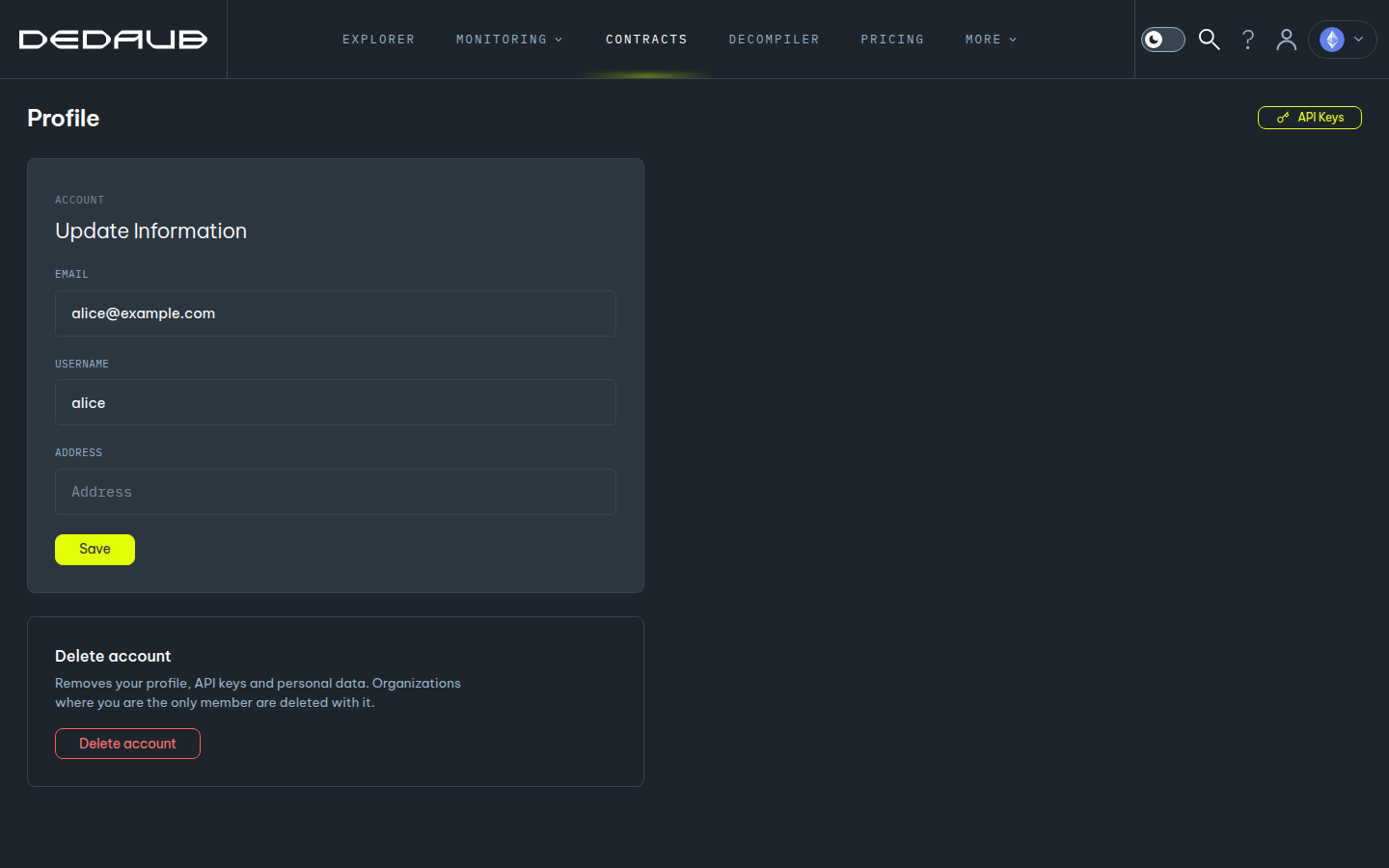
- Open the account menu at the top right, and click Profile.
- Click API Keys. The Manage API Keys panel opens.
- Click New Key, then click Yes, generate key.
- Copy the key from the Your new API key field.
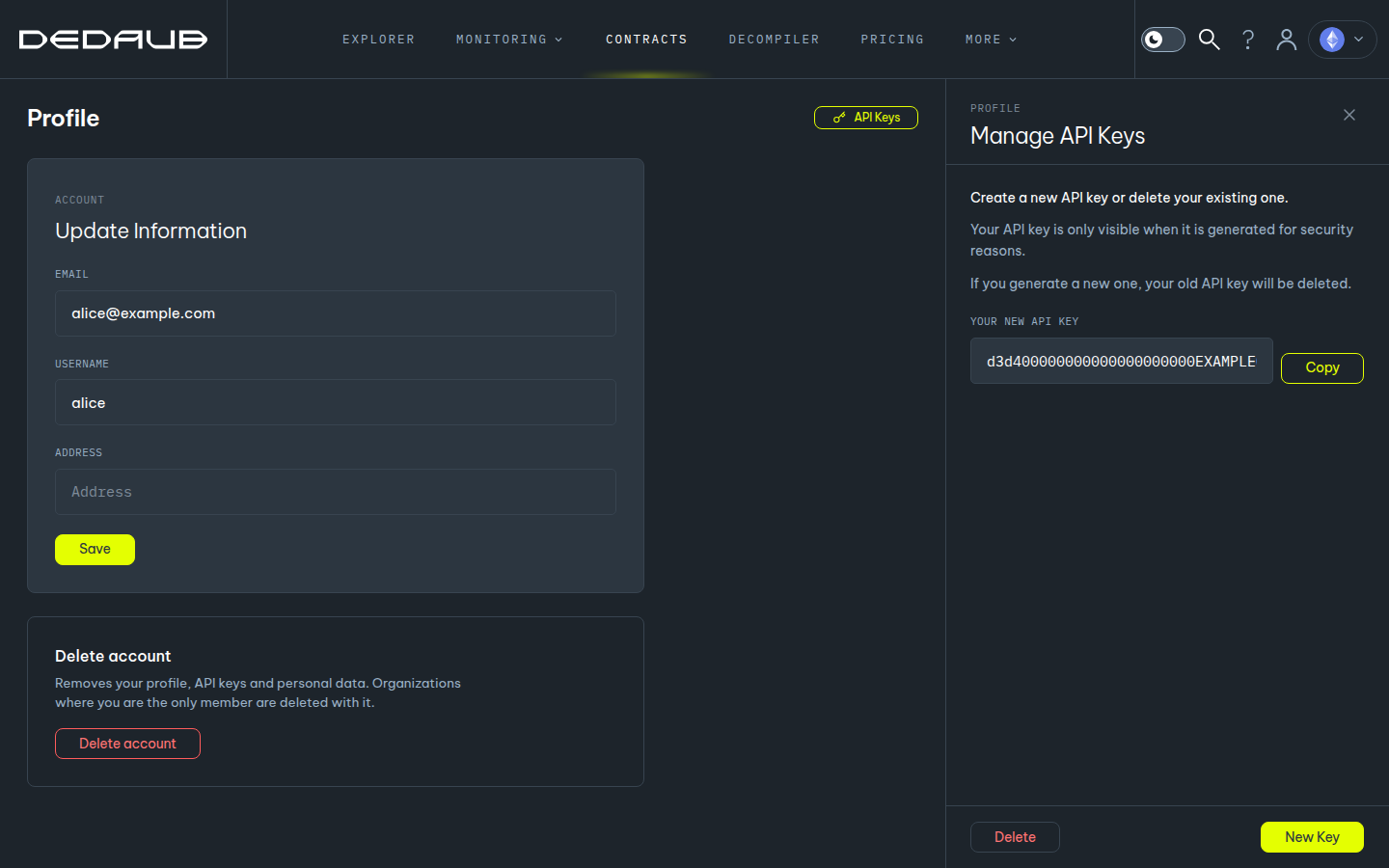
You can have one personal key. A new key replaces your old key, and the old key stops working at once. To remove your key, click Delete in the same panel.
Create an organization key
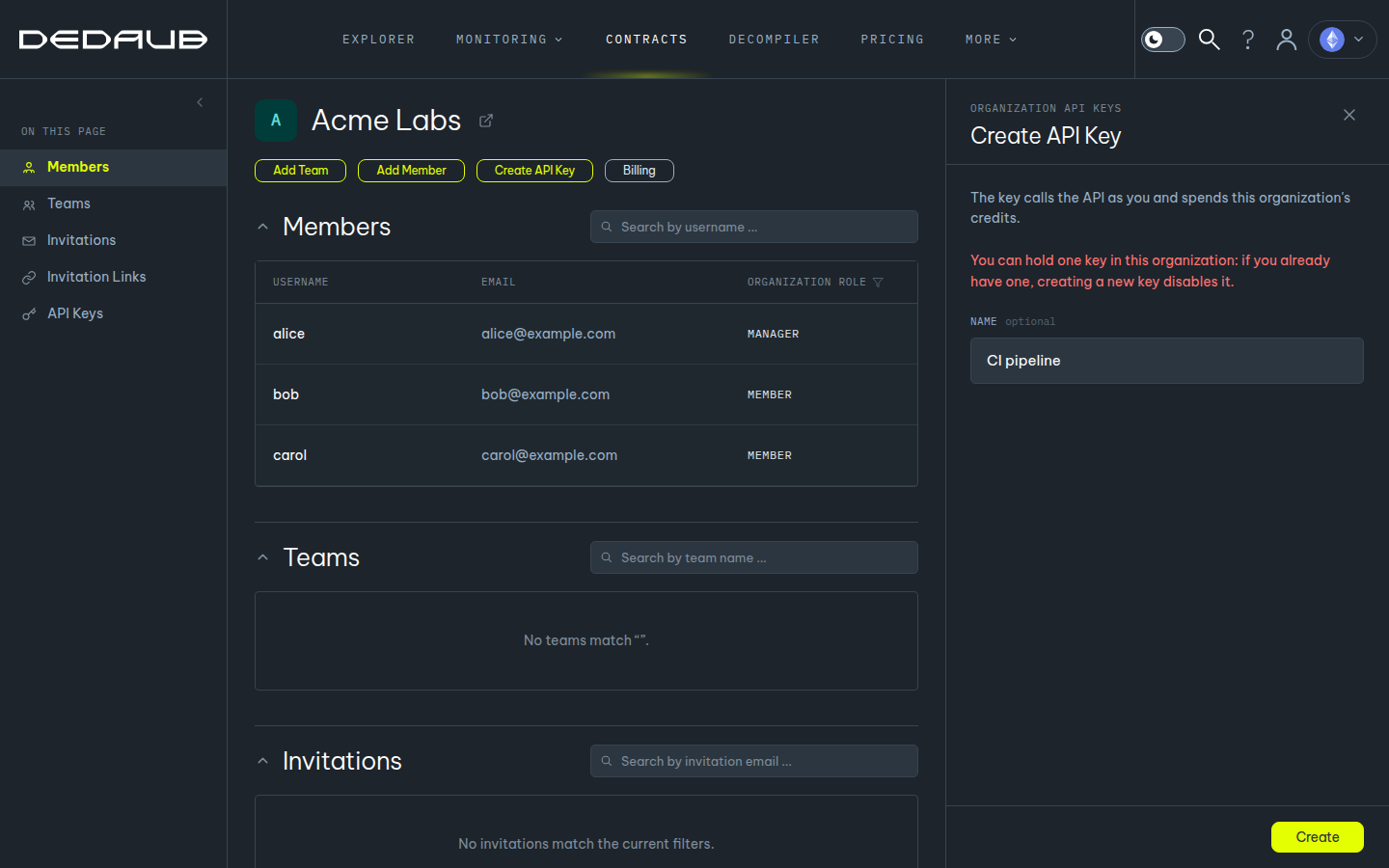
An organization key calls the API as you, and it spends the credits of the organization.
- Go to app.dedaub.com/organizations (or open the account menu at the top right and click Organizations). Then open your organization.
- Click Create API Key.
- Optional: type a Name for the key, for example "CI pipeline".
- Click Create, and copy the key.
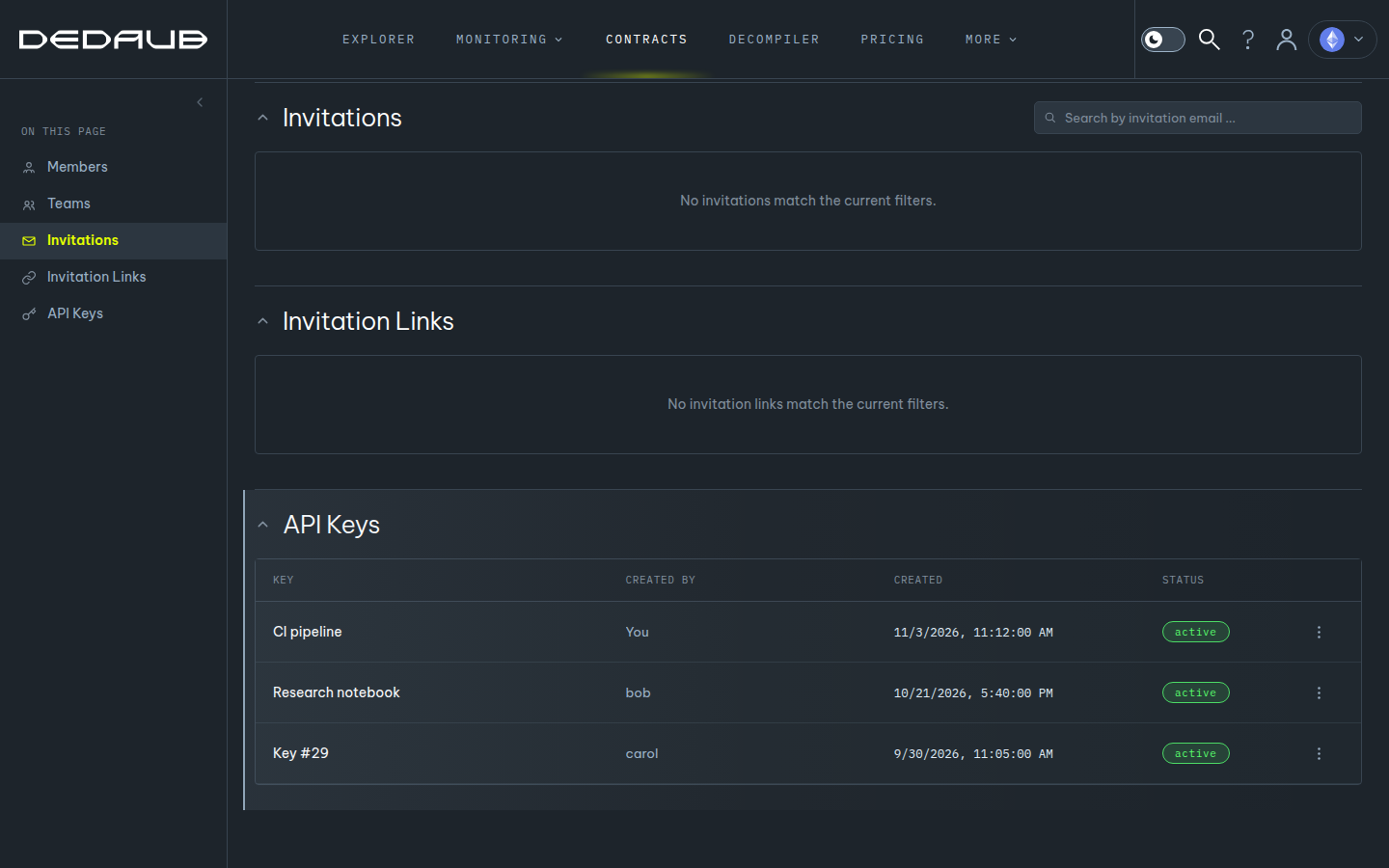
You can have one key in each organization. A new key disables your old key in that organization. A manager of the organization sees the keys of all members and can delete them. When a member leaves the organization, the keys of that member stop working.
Use the Dedaub key
Send the key in the X-API-Key header:
curl -X POST 'https://api.dedaub.com/api/on_demand' \
  -H 'Content-Type: application/json' \
  -H 'X-API-Key: YOUR-DEDAUB-KEY' \
  -d '"0x6080604052..."'
Do not send an Authorization: Bearer header together with the key. The API refuses a request with both (400).
API credits
The Decompiler API uses API credits:
- A decompilation costs 1 credit for each bytecode that is new to your account (or to your organization, for an organization key). A second request for the same bytecode is free.
- Your credits are your monthly allowance (from a subscription) plus the credits that you buy. The Billing page of app.dedaub.com shows your Credit balance.
- To get more credits, go to the API Credits page.
- When the balance is too low, the API answers
402. Thedetailobject of the answer has yourbalanceand therequiredcredits.
Errors
| Code | Meaning | What to do |
|---|---|---|
401 | The key is missing, unknown, deleted or expired. | Make sure that you send the key of the correct product (see the table above), in the X-API-Key header. Create a new key if necessary. |
402 | Not sufficient API credits (Dedaub key), or the free quota is used (Tok{In} trial key). | Dedaub key: add credits. Tok{In} trial key: sign in at tokin.dedaub.com and create a full key. |
403 | Your plan or your role does not allow this request, or the account is blocked. | Change your plan, ask a manager of your organization, or contact Dedaub. |
429 | Too many requests. | Wait for the time in the Retry-After header, then send again. If the answer says Too many invalid credentials, your key is wrong: correct the key first. |